How offgen works
Learn the parts of offgen and the words the docs use for them.
offgen has two surfaces: the add-in, where you create slides, and the web app, where your organization sets offgen up.
The add-in
The offgen add-in runs in a task pane next to your slides in PowerPoint. Everything it creates is native PowerPoint: text, shapes and charts you can keep editing.
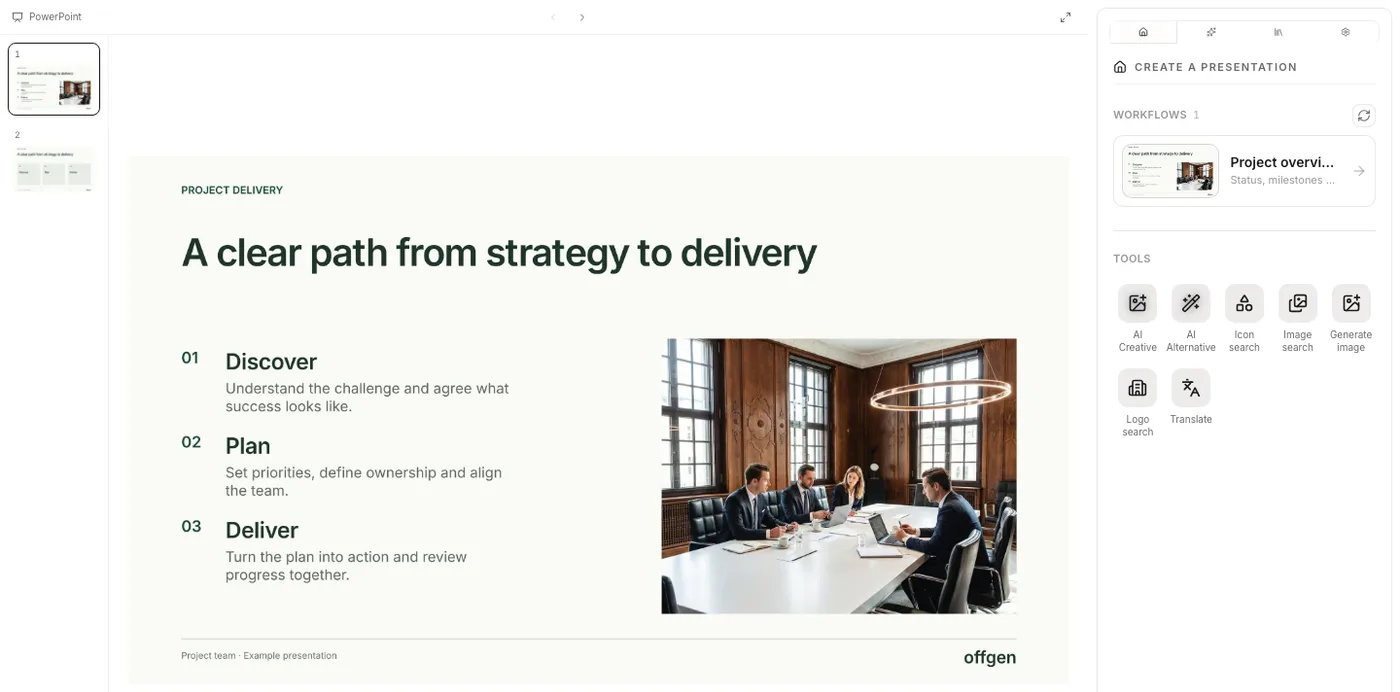
The tabs at the top of the task pane show icons; hover for the name.
- Home: your workflows and tools such as AI Creative, AI Alternative and Translate.
- AI Agent: a chat that edits the open deck.
- Template Library: saved slides you can insert or fill with AI.
- Settings: your account, the add-in language and preferences.
- Power Actions and Charts (optional): one-click actions for shapes and text, such as aligning shapes, and native PowerPoint charts. New accounts start with both tabs off; turn them on for yourself under Settings → Add-in → Add-in tabs.
Admins choose what Home shows, so your Home tab can show less than these docs describe. See Choose what the add-in shows.
The web app
The web app at app.offgen.ai is where you build workflows, manage templates, invite people and handle billing. Most people who only create slides rarely need it.
Organization and private space
Your account belongs to an organization, usually your company. An invite adds you to it. If you sign up without an invite, offgen creates a personal organization for you.
Inside an organization, content is either shared or yours:
- Workflows are Organization or Private (the web app says Personal).
- Templates live in the Organization Library or in My Library.
Workflow
A workflow turns your company's master deck into a repeatable presentation. Someone on your team builds it once in the web app. You run it from Home with a prompt and optional files, and get a deck on your templates. See Create a deck from a workflow and Build a workflow.
Template and Library
A template is a saved slide that offgen can reuse and refill while keeping its fonts, colors and layout. The Library holds your templates. Workflows and the AI tools draw on it. See Template library.
Design system
A design system describes your brand for slides offgen designs from scratch: colors, typography, bullets, icons, shapes and layout guidance. AI Creative uses it. See Design systems.
AI tools
The add-in has several AI tools. The AI Agent works on the open deck through chat. AI Creative, AI Alternative and Translate each do one job on Home. Which tool should I use? compares them.
Roles
What you can do depends on your role: Viewer, Member, Admin or Owner, plus any custom roles your organization defines. Viewers run workflows. Members also create and edit workflows and templates. Admins and Owners manage people, billing and settings. See Users, teams and roles.
Related
Questions? support@offgen.ai