Create presentationsCreate a deck from a workflow
Create a deck from a workflow
Run one of your organization's workflows in PowerPoint to build a standard deck from a prompt and your files.
A workflow builds one kind of deck, such as a proposal, a monthly report or a board update, in your company's format. You describe what the deck is about, add your notes, and offgen adds the slides to your presentation.
Where: Home in the offgen add-in · Who: all members
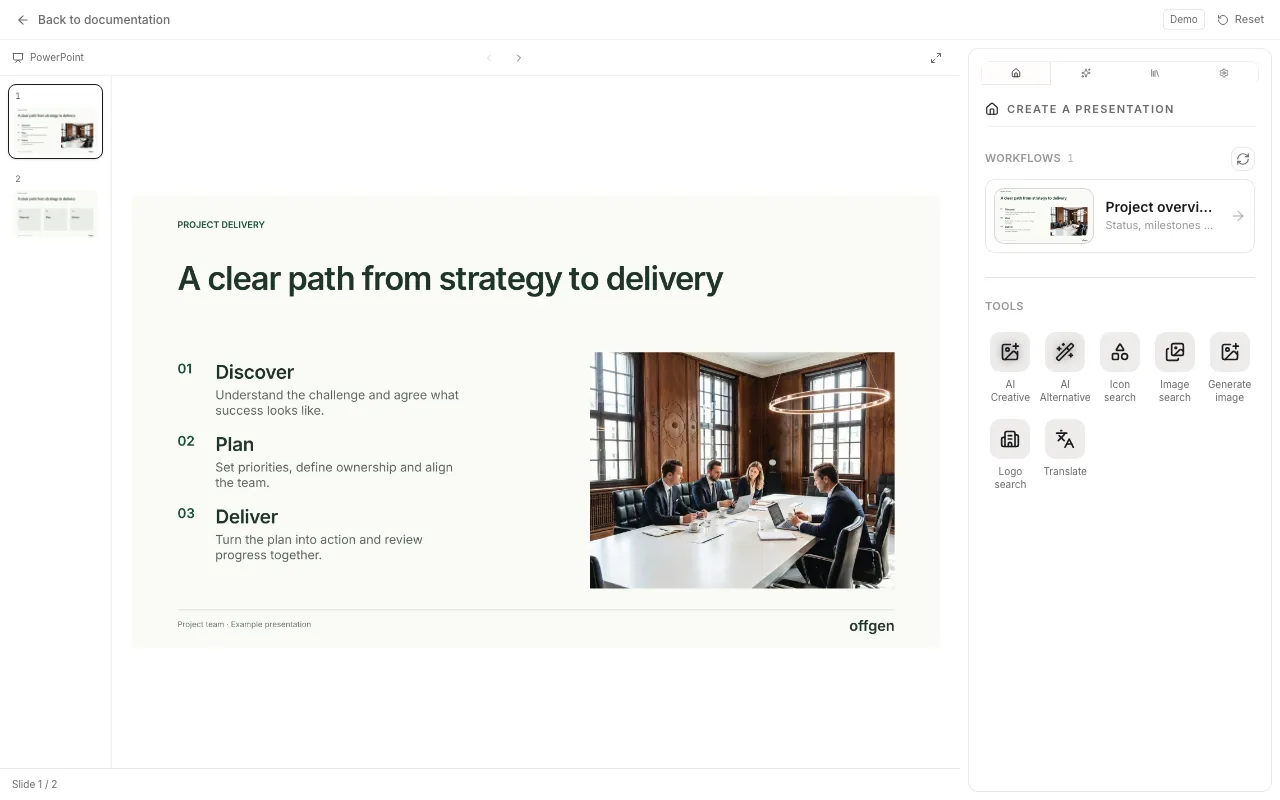
Run a workflow
- Open a new, empty presentation in PowerPoint, then open the offgen add-in.
- On Home, choose Organization for your team's workflows or Private for your own. Select a workflow card, or choose All to search the full list.
- Under Your prompt, describe what the presentation should cover: the audience, the purpose and the key messages. Tips: Write a good prompt.
- Optional: drag files into Files (optional), or choose browse. PDF, Word, Excel, text, Markdown, CSV, email files (.eml, .msg) and images work, up to 6.5 MB in total.
- Choose Start.
- If the workflow needs more details, it shows a form with values taken from your prompt and files. Check them and choose Continue workflow.
- offgen adds the slides one by one (Applying slides 4/12). Review the deck in PowerPoint when it's done.
Don't edit the presentation while slides are being added. If some slides are missing at the end, choose Add missing slides, or run the workflow again in an empty presentation.
To change the result, open the AI Agent and describe the edit.
No workflows yet
- Home shows a message box (Ask anything) instead of the list: your organization has no workflows, or they are hidden in the add-in, the default for new organizations (see Choose what the add-in shows). What you type there goes to the AI Agent.
- One list is empty: Home shows "No workflows yet. Create them in the builder, then start them here." Switch between Organization and Private.
- A new workflow is missing: choose Refresh workflows (the circular arrow next to the list).
- You can build workflows: select New workflow to open the builder in app.offgen.ai. See Build a workflow.
- You can't build workflows: ask your admin. Admins show or hide workflows in the add-in under Settings → Add-in → Workflows in the add-in.
Related
- Build a workflow: set up a workflow from your master deck
- AI Agent: change the deck after the run
- Which tool should I use?: workflow, AI Agent or AI Creative
Was this page helpful?
Questions? support@offgen.ai