Product · Lockable Elements
Protect approved contentand define what may change.
Lock any shape, text area, icon, logo, chart, or complete slide before generation. offgen respects those locked elements exactly, so approved legal wording, methodology diagrams, disclaimers, and brand assets stay unchanged while variable content is created around them.
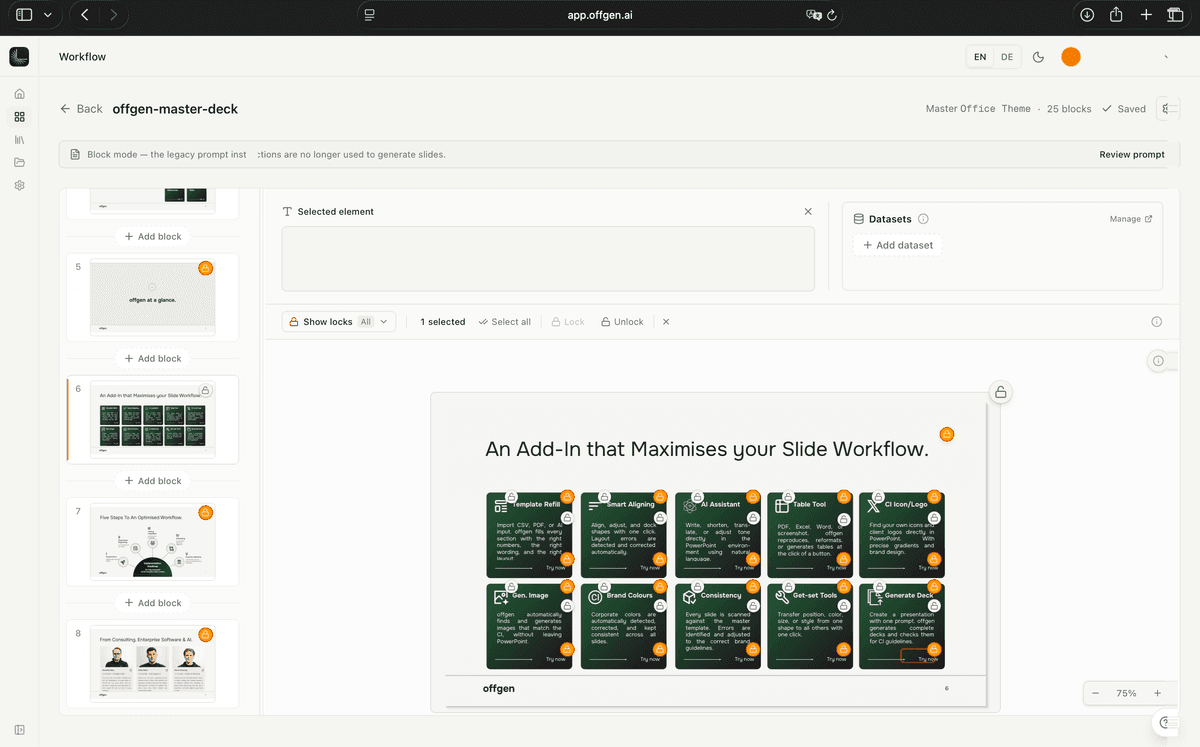
What teams can rely on in day-to-day work.
01
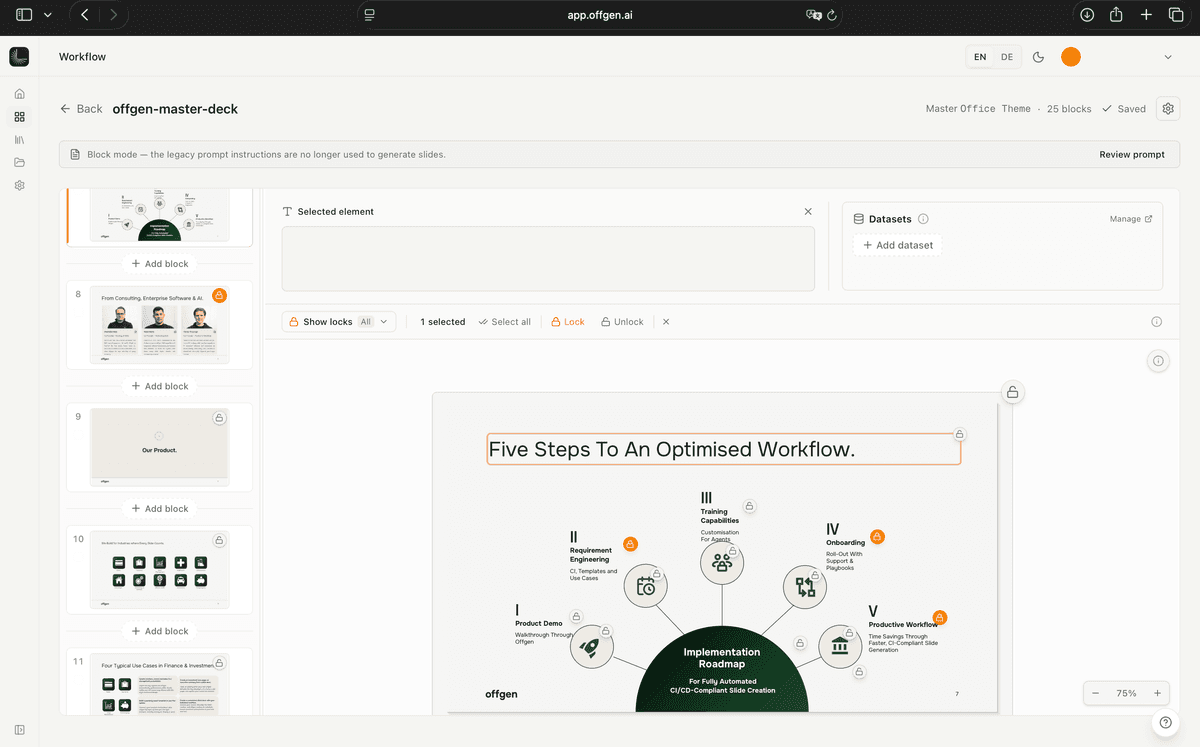
Lock individual shapes
Protect a specific text box, callout, chart, or visual element so position, size, wording, color, and formatting remain unchanged.

02
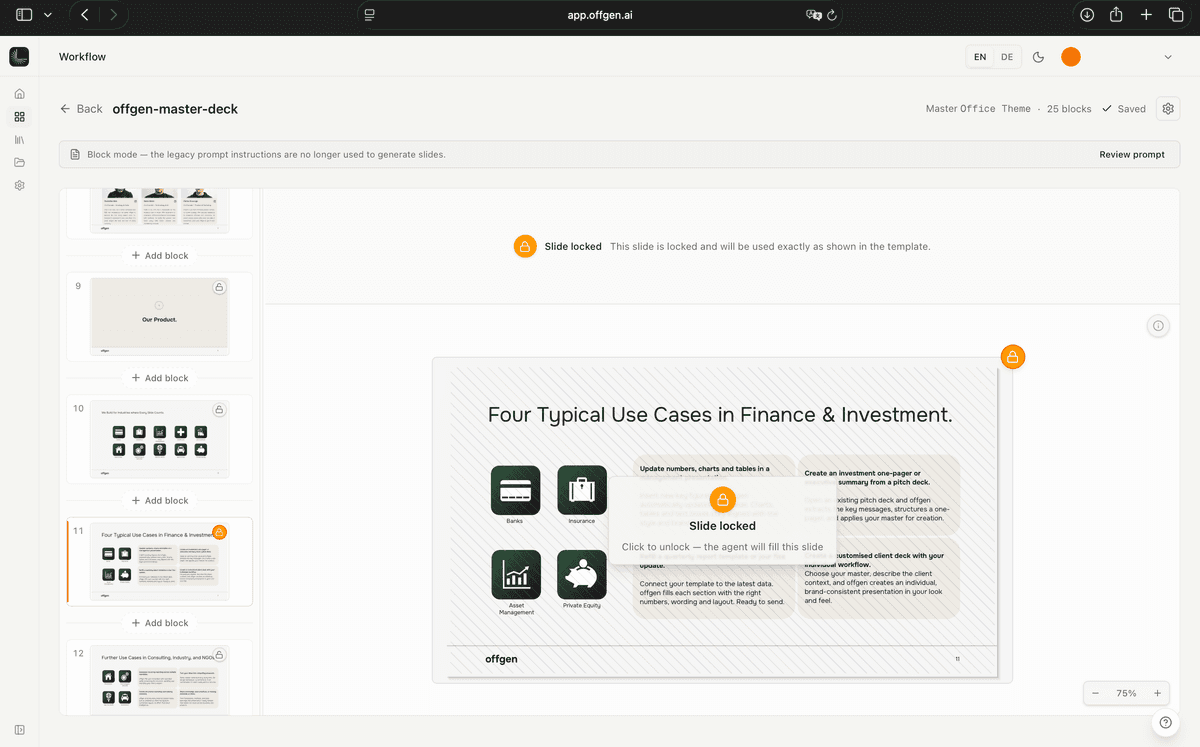
Lock approved icons and logos
Keep the correct brand mark, partner logo, or icon treatment in place rather than allowing it to be swapped, resized, or restyled.
03
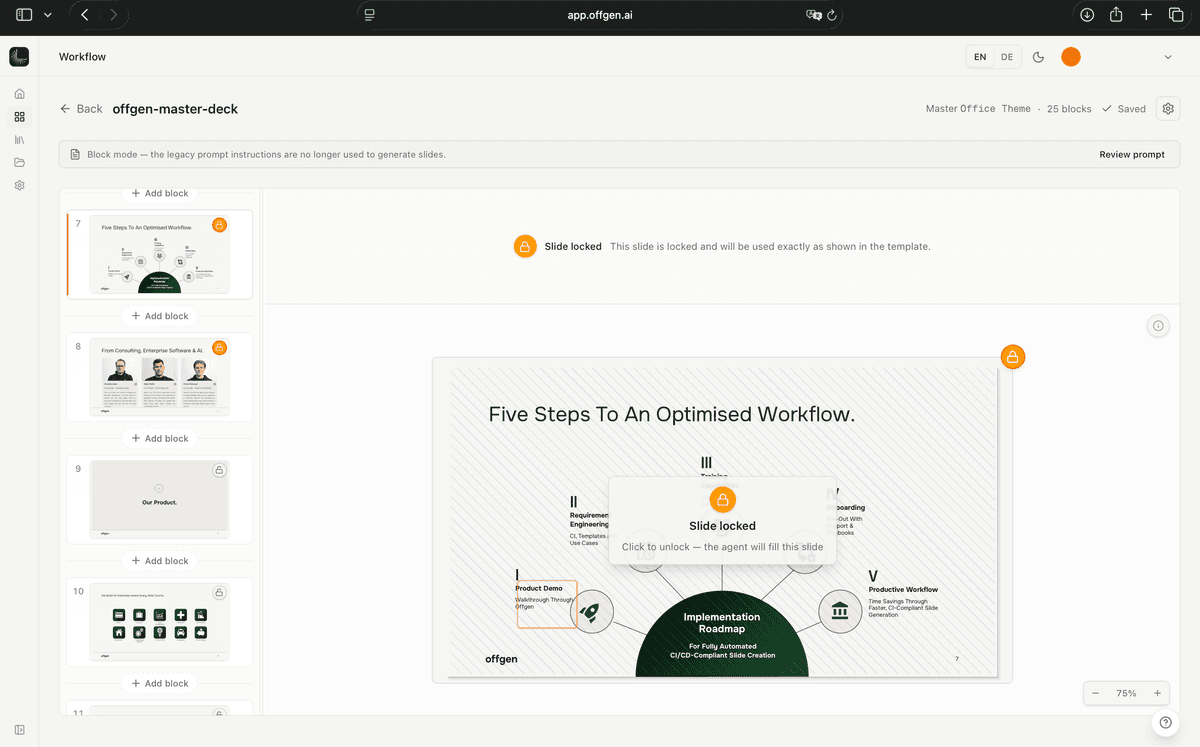
Lock complete slides
Protect legal pages, disclaimers, methodology slides, cover formats, or compliance-approved content so they are reproduced exactly in every output.
04
Generate only where allowed
The AI works with the open parts of the presentation and leaves locked material untouched, giving teams a clear boundary between fixed governance content and adaptable client content.
Where this creates value for your team.
Banking
Legal and disclosure pages
Compliance-approved pages can be locked exactly as signed off while deal-specific analysis and commentary are generated elsewhere in the pitchbook.
See it on your own material.
Book a focused demo and we will walk through the process with a real template, proposal, or reporting deck from your environment.